Discover How to Identify a Phishing Email Before It’s Too Late
By Padroni Hosting

The email arrives on an ordinary morning.
It looks like it came from your bank, hosting provider, supplier, or even a colleague. There’s a familiar logo, a believable message, and a clear instruction: click the link, open the attachment, or confirm your details immediately.
Your account may be suspended. Your payment has supposedly failed. An invoice is overdue. Someone has shared a document with you.
And, apparently, it can’t wait.
That sense of urgency is exactly what makes phishing emails effective. They’re designed to make you react before you have time to look closely. For a busy business owner moving between emails, invoices, calls and customer queries, one hurried click can be all it takes.
Fortunately, a few simple checks can help you identify a suspicious email before it causes a much bigger problem.
What Is a Phishing Email?
Phishing is a form of online fraud in which criminals pretend to be a trusted person or organisation. Their aim is usually to persuade you to reveal information, enter a password, approve a payment or download something harmful.
Some phishing emails are easy to spot. They’re poorly written, strangely formatted and promise you a fortune from a distant relative you’ve never met.
Others are far more convincing.
A sophisticated phishing message may use professional language, copy a company’s colours and logo, reference a genuine service you use, and direct you to a website that looks almost identical to the real one.
A polished email isn’t necessarily a safe email.
1. The Message Creates a Sense of Urgency
“Your account will be closed today.”
“Payment required immediately.”
“Verify your information within 24 hours.”
“Your mailbox has exceeded its limit.”
These messages are designed to create pressure. If you believe that your website, email or bank account is about to stop working, you’re more likely to follow the instructions without checking them first.
Microsoft identifies urgent calls to action and threats as common phishing warning signs. Its advice is wonderfully simple: slow down and examine the message before doing anything.
A genuine issue may still require prompt attention, but a legitimate company won’t object to you verifying the request through an official channel.
Urgency should make you more careful—not less.
2. The Sender’s Address Is Slightly Wrong
The sender’s display name may look familiar, but that name doesn’t prove where the email came from.
Click or tap the sender’s name to view the complete email address. Look carefully at the part after the @ symbol.
Scammers often use addresses that are only slightly different from the genuine domain:
- A letter may be replaced with a number.
- Two letters may be swapped.
- They may add an extra word or hyphen.
- The message may come from a free email service instead of the company’s domain.
For example, accounts@example.co.za and accounts@examp1e.co.za can look remarkably similar when you’re reading quickly.
If the address doesn’t match the company it claims to represent, treat the message as suspicious.
3. The Link Doesn’t Go Where You Expect
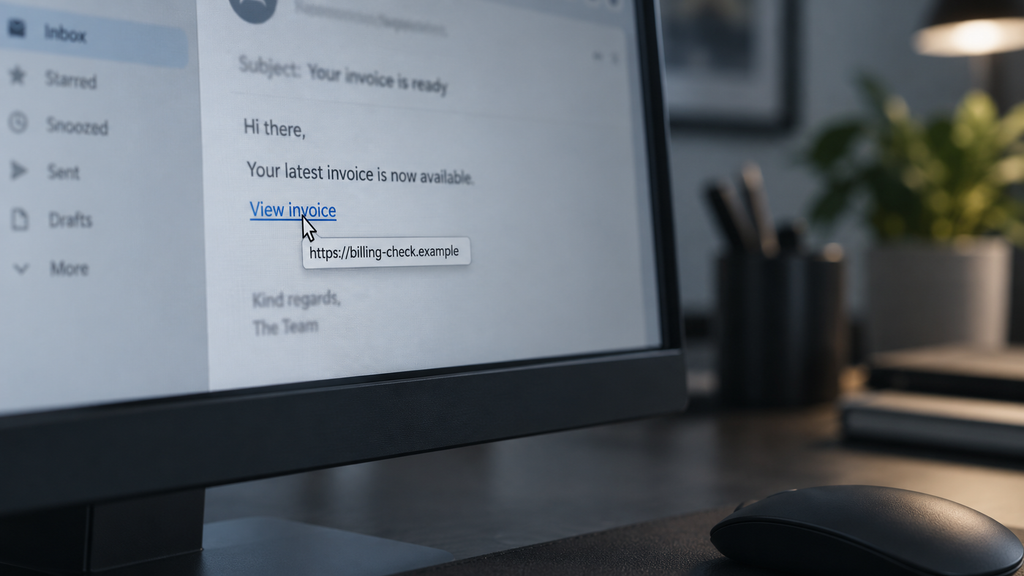
A button may say “View Invoice,” “Update Account”, or “Secure Your Mailbox”, but the wording on the button doesn’t tell you where it will actually take you.
On the computer, hover your mouse over a link without clicking it. Your browser or email program should reveal the destination address. If the domain looks unfamiliar, misspelt, or unrelated to the supposed sender, don’t open it.
On a phone, it’s generally safer not to tap a questionable link at all. Open your browser separately and type the organisation’s known website address yourself.
The safest approach is to avoid using the link supplied in the email. Visit the official website through your usual bookmark or contact the company using details you already know are correct.
4. There’s an Unexpected Attachment
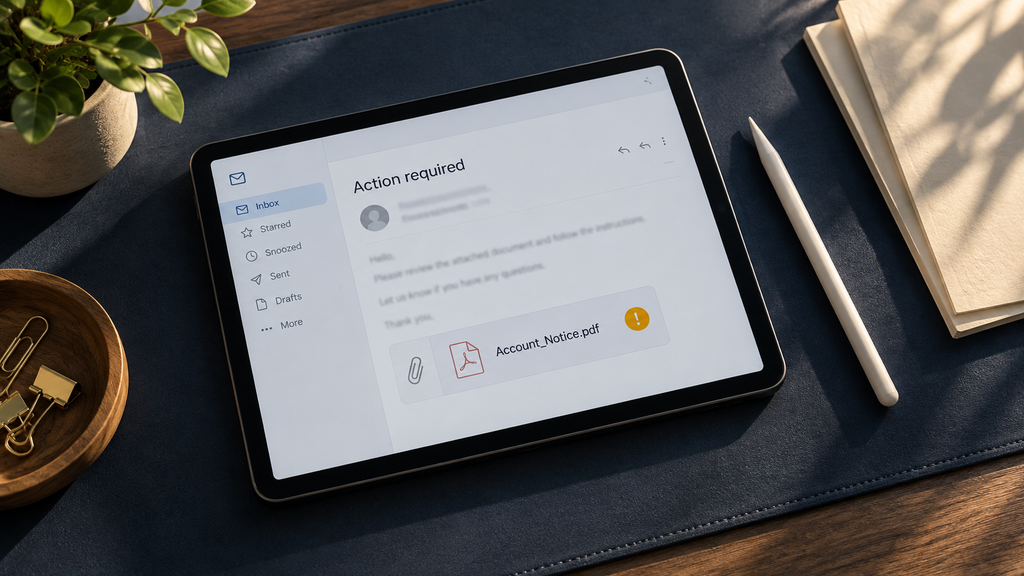
Unexpected invoices, delivery notices, payment confirmations and shared documents are common phishing bait.
The filename may look harmless, but opening the attachment could install malicious software or send you to a fraudulent login page.
Before opening anything, ask yourself:
- Was I expecting this document?
- Do I recognise the sender?
- Does the message sound like them?
- Can I confirm it with the sender another way?
Even if the email appears to come from a colleague or supplier, verify an unusual attachment with a quick phone call or separate message. Don’t reply to the suspicious email to ask whether it’s genuine—the reply could simply go back to the scammer.
Look Beyond Spelling Mistakes
Poor grammar, strange greetings and awkward formatting can still be warning signs, but they’re no longer reliable tests on their own.
Today’s phishing emails can be clean, personalised and professionally written. Some even reference real people, businesses, or transactions.
Watch for requests that don’t fit the sender’s usual behaviour. A supplier suddenly changing banking details, a manager asking for an urgent confidential payment or a service provider requesting your password should always be independently verified.
No legitimate support provider should ask you to reply to an email with your password.
What Should You Do With a Suspicious Email?
The best response is to pause, check and verify.
Don’t click the link, open the attachment or reply. Contact the supposed sender through a phone number, website or email address you obtained independently—not one supplied in the suspicious message.
If the message claims to be from your bank, use the number on the back of your bank card or in your banking app. If it appears to come from a colleague, phone them. If it concerns your hosting or business email, contact your provider through its established support details.
Once you’ve confirmed that the message is fraudulent, report it as phishing or junk in your email program and delete it.
The South African Government’s Cybersecurity Hub also provides local phishing-awareness guidance.

What If You’ve Already Clicked?
Don’t panic—but don’t ignore it either.
If you clicked a link but didn’t enter any information, close the page and run an updated security scan on the device.
If you entered a password, change it immediately using the genuine website or app. Change it anywhere else you’ve used the same password and enable multi-factor authentication where available.
If you downloaded or opened an unexpected attachment, contact your IT support provider and have them check the device.
If you shared banking details or card information or made a payment, contact your bank’s fraud department immediately. The sooner you report it, the better the chance of limiting the damage.
Businesses should also tell affected staff promptly. Quietly hoping nothing happened gives a compromised account more time to be misused.
Build a Simple Verification Habit
Businesses don’t need an enormous security department to reduce their phishing risk. A few sensible habits make a meaningful difference:
- Verify banking-detail changes by phone using a known number.
- Use unique passwords and multi-factor authentication.
- Keep computers, phones, and security software updated.
- Limit administrator access to people who genuinely need it.
- Make it acceptable for employees to question unusual requests.
- Keep reliable backups of important business information.
Most importantly, create a culture where taking an extra minute to verify something is seen as responsible—not inconvenient.
Pause Before You Click
Phishing succeeds when urgency overrides caution.
The next time an unexpected email tells you to click immediately, open an attachment or confirm sensitive information, ask yourself one question:
Would I still trust this message if it weren’t rushing me?
Pause. Check the sender. Examine the link. Question the attachment. Verify the request through another channel.
That extra minute may protect your email account, your business information and your money.
If an email claiming to concern your Padroni hosting, domain or business email account doesn’t look right, contact us using our official details before taking action.
🌐 padroni.co.za
📧 support@padroni.info
📱 WhatsApp: +27 60 863 0377