
If your emails are going to spam, it can quickly become more than a small technical frustration. Important quotes may be missed, invoices may go unseen, client replies may be delayed, and new enquiries may never reach the right person.
For many businesses, email is still one of the most important communication tools. Even with WhatsApp, social media, and online forms, clients still expect a professional email address to work properly.
So, when emails start landing in spam folders, bouncing back, or not arriving at all, it is important to understand what may be causing the issue.
The good news is that emails ending up in spam don’t always mean something is seriously wrong. In many cases, it comes down to a few common setup, authentication, or reputation issues that can be checked and corrected.
At Padroni, we believe in simplified web hosting. That includes helping businesses understand the technical issues behind email in a clearer, more practical way.
Why email deliverability matters
Email deliverability refers to whether your emails successfully reach the recipient’s inbox.
It’s not only about whether an email was sent. An email can leave your mailbox successfully and still end up in someone’s spam folder. In some cases, it may be rejected by the receiving server before it reaches the person at all.
For a business, this matters because if your emails are not reliably reaching inboxes, it can affect trust, communication, and daily operations.

Common reasons business emails go to spam
There are several reasons why business emails may be marked as spam. Some are related to your domain, some to your email setup, and others to the message’s content or the sending server’s reputation.
Here are some of the most common causes.
1. Missing or incorrect SPF records
SPF stands for Sender Policy Framework.
In simple terms, an SPF record tells receiving mail servers which servers are allowed to send email on behalf of your domain.
For example, if your business uses a hosting server to send email, your domain’s SPF record should usually include that server. If you use a third-party email service, that service may also need to be included.
When an SPF record is missing, incorrect, or outdated, receiving mail servers may become suspicious. They may treat your email as unverified or possibly fraudulent, which can cause messages to land in spam or be rejected.
This often happens after:
- A hosting move
- A DNS change
- A domain transfer
- Switching email providers
- Adding a new mail platform
- Sending through a website form or third-party system
SPF is one of the first things to check when emails start going to spam.

2. DKIM has not been set up properly
DKIM stands for DomainKeys Identified Mail.
It adds a digital signature to outgoing emails. This signature helps prove that the email was sent by an authorised system and that it was not changed along the way.
You don’t see DKIM working when you send an email, but receiving servers check it in the background.
If DKIM is missing or failing, your emails may look less trustworthy to receiving servers. This can affect deliverability, especially when sending to larger mail providers such as Gmail, Outlook, Microsoft 365, and Yahoo.
DKIM can fail when DNS records are incorrect, the email service is changed, or the sending system is not properly connected to the domain’s records.
3. No DMARC policy or a poorly configured one
DMARC stands for Domain-based Message Authentication, Reporting and Conformance.
It works with SPF and DKIM to tell receiving mail servers what to do if an email fails authentication checks.
A DMARC record can help protect your domain from spoofing, where someone tries to send fake emails that appear to come from your business.
If your domain doesn’t have DMARC, or if it is configured incorrectly, your email may not be treated as strongly by some mail providers. It may also be harder to identify when someone is trying to abuse your domain.
DMARC is especially important for businesses that send invoices, account information, client updates, or any communication where trust matters.

4. Your domain or server reputation may be poor
Email systems look at reputation. This includes the reputation of your domain, your sending IP address, and sometimes the server used to send the email.
If a server has previously been used to send spam, or if several accounts on the same server are sending low-quality mail, the server’s IP address may be flagged or blacklisted.
This can affect legitimate businesses too, especially on shared hosting environments where many domains use the same server.
Signs of reputation issues may include:
- Emails bouncing back with rejection messages
- Emails going to spam across multiple recipients
- Problems sending to specific providers like Gmail or Microsoft
- Blacklist warnings
- Delays in email delivery
Server reputation issues need to be handled carefully because they can involve DNS records, mail server settings, abuse reports, blacklists, or compromised email accounts.
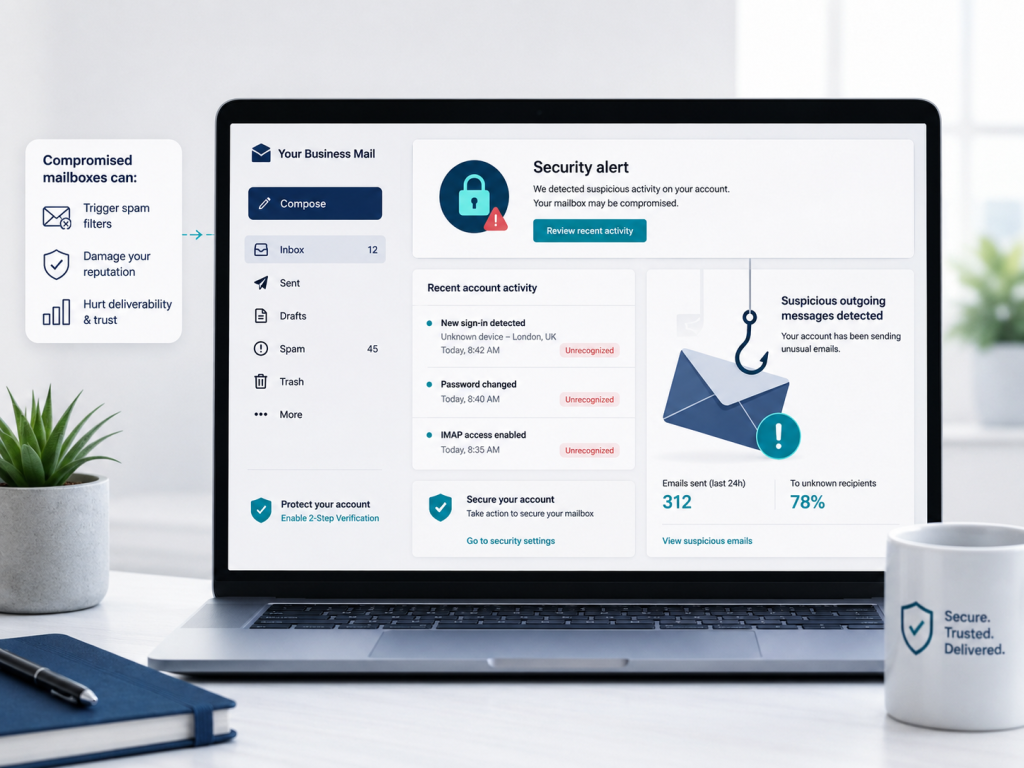
5. A mailbox may have been compromised
If someone gains access to an email account, they may use it to send spam without the business owner realising at first.
This can happen because of weak passwords, reused passwords, phishing emails, malware on a device, or old email accounts that are no longer monitored.
A compromised mailbox can damage the domain and server reputation. It may also result in password resets, account suspension, blocked sending, or mail delivery issues.
Warning signs may include:
- Unknown sent emails
- Bounce-backs for messages you did not send
- Password prompts
- Login alerts
- Sudden large volumes of outgoing mail
- Clients receiving strange messages from your address
If this happens, the affected password should be changed immediately, and the mailbox should be checked for suspicious forwarding rules, filters, or unfamiliar devices.
6. Your email content may look suspicious
Sometimes the issue is not the technical setup but the content of the email itself.
Spam filters look for patterns. Certain words, formatting choices, links, attachments, or sending habits can make an email look suspicious.
For example, emails are more likely to be flagged if they include:
- Too many links
- Large attachments
- Short messages with only a link
- Misleading subject lines
- Overly promotional wording
- Lots of capital letters or excessive punctuation
- Poor formatting
- Links to suspicious or blacklisted websites
Even normal business emails can sometimes trigger spam filters if they include certain files, repeated messages, or links that receiving servers do not trust.
7. Sending too many emails too quickly
If a business sends a high number of emails in a short time, mail servers may treat that activity as suspicious.
This can happen during bulk mailouts, newsletters, invoice runs, promotional campaigns, or automated website notifications.
Standard business email accounts are not always suitable for bulk sending. If you regularly send newsletters or marketing emails, it’s usually better to use a dedicated email marketing platform with proper authentication and unsubscribe options.
Sending bulk mail from a normal mailbox can affect your domain reputation and may cause future one-to-one business emails to land in spam.
8. Website forms may not be sending correctly
Many businesses use website contact, booking, quote, or enquiry forms. These forms often send emails from the website to the business.
If the website is not configured correctly, form emails may fail authentication checks. This is especially common when a website tries to send email “from” an address that doesn’t match the server or domain sending the message.
For example, a contact form may try to send an email that appears to come from the visitor’s Gmail address, even though it is actually being sent by your website server. Some mail providers may see this as suspicious.
Correct website mail configuration, SMTP settings, and DNS authentication can help improve delivery for form notifications.

9. Your DNS records may have changed
Email depends heavily on DNS records. If DNS records are edited, removed, or overwritten, email delivery can be affected.
This can happen during:
- Website migrations
- Hosting changes
- Domain transfers
- Nameserver updates
- Cloudflare setup
- Email provider changes
- Manual DNS edits
Important email-related DNS records include MX, SPF, DKIM, and DMARC, as well as additional verification records, depending on the email provider.
A small DNS mistake can cause a big email problem.
10. The recipient’s mail system may be filtering your message
It’s also possible that the issue isn’t on your side.
Some recipients have very strict spam filters. Corporate mail systems, schools, government departments, and large organisations may block certain attachments, links, file types, or external senders.
If emails only go to spam for one person or one organisation, the recipient’s mail system may be part of the issue.

What can you check first?
If your emails are going to spam, start by gathering information before making changes.
Useful things to check include:
- Are all recipients affected, or only one?
- Are emails going to spam, bouncing, or not arriving at all?
- Do bounce-back messages include an error code?
- Has the domain, hosting, DNS, or email provider recently changed?
- Are website forms also affected?
- Is the mailbox full?
- Are SPF, DKIM, and DMARC records present?
- Has the mailbox sent any suspicious messages?
- Are you sending bulk mail from a normal mailbox?
The more information you have, the easier it is to identify the cause.
When to ask for help
Email deliverability can be simple in some cases and more complicated in others. If the problem involves DNS, authentication records, blacklists, server reputation, or website forms, it is usually best to get technical assistance before making random changes.
Changing the wrong record can make the issue worse or cause email to stop working completely.
A proper check should look at the domain, DNS records, mail server, mailbox status, authentication settings, sending behaviour, and any bounce-back messages.
How Padroni can assist
Padroni assists with email support, DNS checks, hosting-related email issues, SPF, DKIM and DMARC guidance, mailbox troubleshooting, website form delivery, and practical technical support.
Our goal is to help businesses understand what’s happening and what needs to be checked, without making the process more confusing than it needs to be.
If your emails are going to spam, bouncing back, or not reaching clients properly, Padroni can help investigate the most likely causes and guide you through the next steps.
Emails that end up in spam can be frustrating, but there is usually a reason behind it.